Absolutely delighted to share the good news that the international group of judges from the IAA have chosen to generously award my work, in amongst entries from 45 countries, with one gold and eight silver winners’ awards.
Late Night Conversations. Black & White Photography – People. Fujifilm GFX100RF.
Astonishingly, four of the nine photographs were made using the new Fujifilm GFX100RF which I had on loan to review (you can read my review on this blog).
“The International Awards Associate (IAA) is pleased to announce the exceptional winners of the 2025 Global Photography Awards. This year, under the theme “Framing the World,” the competition recognizes photographers from across the globe to capture unique interpretations of this ever-evolving world.”
Chef Marco Pierre White. Editorial Photography – Personality. Leica M10-D.
“Photography has the power to bridge continents, cultures, and perspectives. This year’s submissions reveal how photographers transform everyday moments into universal stories. Photographers have shown us that perspective is limitless, capturing landscapes, moments, and emotions that invite reflection while inspiring imagination,” said Thomas Brandt, spokesperson of IAA.
In Conversation With Celebrity Chef Marco Pierre White. Editorial Photography – Celebrity. Leica M10-D.
The awarded work is a mixture of magazine assignments, personal work as well as photographs made during this summer’s Passionate Photographer London Street Photography Masterclass. If you fancy joining us for our fifth annual week long workshop in 2026, see my friend and colleague Steve Simon’s website.
As always, the raw files were processed in Adobe’s LightRoom Classic, on my Mac Studio using a pair of calibrated Eizo CG276 monitors.
Actress Hazel Collinson. Editorial Photography – Personality. Leica M10-D.Alternate Ripples Of Reality. Black & White Photography – Street. Fujifilm GFX100RF.Scooter Drivers On A Break. Editorial Photography – Contemporary Issues. Fujifilm GFX100RF.Michelin-starred chef Richard Corrigan. People Photography – Portrait. Leica M10-D.Michelin-starred chef Richard Corrigan in his kitchen. Editorial Photography – Documentary. Leica M10-D.Into The Light; Out Of The Shadows. International Photography – United Kingdom Photography. Fujifilm GFX100RF.A joyful montage to celebrate! Photo: AE
Absolutely overjoyed to share some great news from today! The International Awards Associate (IAA), in unison with the European Photography Awards, have selected three of my photographs as Gold winners and seven other images as recipients of Honourable Mentions.
From the press release of the European Photography Awards; “Drawing an impressive number of entrants, the competition received over 3,500 submissions across 50 nations, including the United States, Germany, Italy, Canada, France, Australia, Spain, United Kingdom, Japan, Switzerland, Greece, Portugal, Sweden, and beyond, featuring its global appeal and presence.”
Many thanks to all the judges and congratulations to the winners and runners up. Here are the ten images, with captions and information on the equipment used.
As always, all the photographs were shot in raw and processed in Adobe’s Lightroom Classic, on either an Apple Mac Pro or Mac Studio, using calibrated Eizo CG276 monitors. In the commercial photography using lighting, I also always use a colour meter, to compensate for any colour temperature shifts brought forth by light diffusers and reflectors.
“We are elated to inform you that your spectacular image has proven itself to be a superlative symbol within the entirety of the photography industry”.
Absolutely thrilled to have received these comments from the international jury of the New York Photography Awards for 2023, after four of my photographs were awarded “Silver Winner”. A further four photographs were also recognised with “Honorable Mentions”. To have eight images picking up awards, from a set of ten images entered for the awards, has been more than delightful and brings some sweet news to see out the end of the year with.
All of the photographs were shot in raw and processed in Adobe’s LightRoom Classic on a Mac Pro, with calibrated Eizo CG screens. The images were then finished off in Exposure Software’s X7 plugin.
Interestingly, five of the awarded images were made during photography workshops which I was tutoring. One during a one to one bespoke street photography workshop and the rest on two summer street photography workshops, in conjunction with my good friend and colleague Steve Simon. Look out for details of our 2024 workshop!
My thanks to the judges and organisers of the NY Photography Awards. I’m more than absolutely delighted and it’s wonderful to have a breadth of work, covering photojournalism, street photography and high-end creative product photography recognised and awarded.
Absolutely thrilled to receive the good news from Los Angeles that three of my pictures have been judged into the winner’s circle with honourable mentions and that two other images have been nominated, in the 15th International Color Awards, from close to 6800 entered images.
Many thanks to all the judges (The Armory Show, New York; The J. Paul Getty Museum, Los Angeles; The Art Channel, London; V&A Museum, London; Koller Auctions, Zurich; Preus Museum, Norway; Publicis Groupe, Warsaw; Fila, New York; Chung | Namont Gallery, San Francisco; Kolle Rebbe, Hamburg; Tilton Gallery, New York; Milwaukee Art Museum, Milwaukee; Cornette de Saint Cyr Auctions, Brussels; Podbielski Contemporary, Milan and RedKite NFT, London) and many congratulations to the other winners.
As some would have seen, I’ve started to branch out into creative still life photography, specialising in fountain pen and stationery. It was a thrill to see one of these pictures receive an honourable mention.
Here are the five chosen images. All photographs were made using Lumix cameras, using Leica DG, Olympus and Voigtlander lenses. The images were shot in raw, processed on an Apple Mac Pro with Eizo CG monitors and processed using Adobe LightRoom Classic and finished in Exposure Software’s X7.
Jargon that gets introduced into any conversation about working on a computer, ranging from moans about things taking too long to physically painful woes. As creatives though, we’re using computers in much more in-depth and involved ways. Photography, video, audio and so on, bring with them much more complex creation software, which moves us away from typing, some mouse usage or simple cut and paste shortcuts, into a myriad of easily confused and forgettable keyboard shortcuts, some involving a fair amount of finger dexterity. Add to this the operating of a cursor applying a brush or a cut on a timeline, and it’s very easy to start doing advanced level yoga with our fingers on a keyboard and mouse or probably even worse, trackpad.
Loupedeck CT at my Apple Mac workstation. London, UK. April 01, 2021. Photo: Edmond Terakopian
Spending hours editing and processing a big assignment, or sometimes weeks editing long term projects, made me realise I had to find a better way of working. Around seven years ago, I bought a Contour Design ShuttlePRO V.2 and programmed it for use in Lightroom. This lived on the left side of my keyboard whilst a Wacom tablet lived on the right hand side. The concept was simple; program often used commands and key strokes into the unit, operate it with my left hand, whilst the right hand operated the Wacom pen. Much more efficient and also ergonomic.
The Shuttle Pro though wasn’t perfect. The keys stopped responding properly after a couple of years and I wanted something more designed for creative use, rather than as an office tool which could be re-purposed. Also, the software left much to be desired. At The Photography Show at the NEC around three years ago, I was walking past the Loupedeck stand and caught a demonstration of the Loupedeck+. At the same time, a colleague walked past, saw me watching the demo and told me he’d been using one for a while and loved it. I was sold. Passed over my credit card and walked away with it under my arm.
With both of these systems, I had to add printed labels onto the keys I had programmed. Otherwise it becomes too much of a head scratcher trying to remember (although given enough time, it does become muscle memory, but for the initial weeks and months, labels are definitely needed). I’d seen various, often gaming targeted, keyboard type devices with small OLED panels which could display labels, but non were suitable for my needs. Then came along another product from a company I had already trust in; the Loupedeck CT.
The company calls this unit a “precision editing console for creative professionals”, with “endless customisation”. Well, they’re not wrong! Whilst the Loupedeck+, which I’m still very fond of and do recommend, was primarily aimed at LightRoom users, the CT opens up many more applications, with the bonus of having customisable workspaces and pages of programmable keys with icons that show what they each do. No more printed or scribbled labels needed! Plus, having the added ability of having multiple pages, each touch key can take on multiple uses, so an ever changing set of labels on the touch screen, is a tremendous help indeed.
Before I get into my thoughts and experiences, I decided to make this a long term review, for two reasons. Firstly, the CT is as complex or as simple a product as you wish it to be. The Loupedeck CT software already comes with customisation for a variety of different photography, video, illustration applications as well as the OS itself. So, it’s good to go, straight out the box. Or, you can spend time with it and create your own customisation; from modifying the existing setup with the odd key here or there, to fully making up your own workspaces, buttons and so on, which if you want to do it properly, will take a little bit of time to design efficiently, so it suits you perfectly. The actual software is very user friendly and easy to customise. The second reason for making this a long term review, was a colleague told me he had read a report of build quality issues with the knobs on the Loupedeck CT. This did surprise me as the unit felt very well built and constructed as a premium piece of professional grade hardware. As a result of these points, especially the latter, I decided to use it for a while, in a full on professional environment, before writing up my review. The Loupdeck CT has sat on the left of my keyboard for months, whilst to the right of which is a small, Wacom Intuos Pro tablet (highly recommended). As a side note, these two peripherals work perfectly together and fulfil the same ethos of taking away physical strain and fatigue, whilst adding more precision at the same time. Add a quality twin monitor setup (my choice is Eizo CG monitors with built in calibration) and you’ll have a sweet setup that helps you fly through editing and gives you precision when processing.
Even in Finder, the OS controls make it a very useful tool to have. I have LightRoom and Photoshop programmed on two launch keys. One tap and the software I need starts up. Even something like the Calculator becomes easier to use; tap the Calculator button and the CT itself turns into a calculator keypad. You even get a snazzy analogue clock in the centre of the main control dial. The Launchpad, Siri, a new Finder window or System Preferences are all one button touch away.
Getting back to the customisation aspect, the best piece of advice I can give is to live with the CT as is for a while. Use it extensively and get a feel for how the unit works. Soon, you will organically start to realise what’s missing for your own particular needs. We all have our way of working with the software we use. Our own individual quirks or specific workflow needs. Its this extra time spent, that’s time well spent, as it will not only get you used to the various touchscreen and hardware controls, but will help you mentally map what you would like to customise and add, for your unique workflow needs.
Loupedeck CT at my Apple Mac workstation. London, UK. April 01, 2021. Photo: Edmond Terakopian
If you do a lot of work on location or a lot of travelling, one huge bonus the CT has over the Loupedeck+ is that its size makes it travel friendly. You can even get a travel case for it. A strange addition, until I thought it through, is that it has 8Gb of onboard memory, which just shows up as a removable drive, when the CT is plugged in to your computer. This is perfect for keeping any custom settings backed onto, the driver software, along with any other custom presets you may have for other software, meaning that you could just plug the CT into any machine and have it set up for your custom needs, within minutes. Fully self contained, on location tool.
So, almost five months on, I have sat down to type out my thoughts. To address the second point first, the one of build quality, I haven’t had a single issue with neither the hardware, nor the software. Every dial, button and touchscreen interface has worked flawlessly since I first plugged it in, around the middle of November 2020. In this time frame, I’ve gone through at least 10,000 pictures (assignments, personal shoots, competition edits, putting together talks and presentations, as well as putting together images for my new forthcoming website. Just as my Loupedeck+ never gave me a single issue, the Loupedeck CT has just worked and blended invisibly into the background, letting me work efficiently and without fuss. For me, this is always the mark of a good piece of equipment or software; something that empowers you to work well, without making itself apparent and just fading into the background. I’ve even gone through a major OS change, going from Mac OS Catalina to Mac OS Big Sur on my 2013 Mac Pro, without issue. Incidentally, Windows is also supported, although I’ve not tested the unit on a Windows machine.
There are two main things the Loupedeck CT allows you to do; work with efficiency and work with much better control over the tools you use within your chosen applications.
The added control comes with having tactile knobs (which have gentle clicks as they are turned) to turn when changing controls such as exposure, contrast, colour temperature and so on. You have so much more fine control on making either small tweaks, or turning the knob at speed and making large changes to the onscreen slider. It allows you to do all of this whilst keeping your cursor where it belongs, on the image itself and not constantly moving in a frenzy between processing controls, brushing and so on. The second huge boost for control is having the main control dial allowing you to change brush size and feathering size, again without needing to move the curser off your photograph and onto the processing modules to the right. This lets you brush on precise masks when working, giving you much more control and also allowing you to do this efficiently and not constantly taking the cursor or your concentration off the area you’re working on. It helps you keep a flow, which is not only much more efficient, but much less irksome and creatively rewarding, during long editing sessions. Creativity should flow, unhindered.
Customisation
After much procrastination, I realised the company’s own settings for LightRoom Classic, generally suited me just fine. I used the pages in the control set as they were, but with use, started to change out some of the buttons for ones which suited me. On a page like the Presets, I removed all the existing presets and instead added all of my custom raw presets, which were already saved in LightRoom. The Loupedeck software interface is a joy to use and very simple. Just drag and drop. That’s it. The Loupedeck CT is updated live as you make changes, so as soon as you switch to your software, you’ll see the remapping and relabelling has already been done; you’re good to go. Very elegant and very simple. The possibilities are also pretty endless, so if you have extremely specialised needs, you can customise to your heart’s content.
The Loupedeck software and the first page for Lightroom’s Library, with a few of the buttons swapped out for my needs. A page with my custom raw presets.
In Use
In use, the hardware gives you the physical buttons, dials and touchscreen buttons, as mentioned. You also have two segments on the screen which label the six smaller dials, so one instantly knows what they are mapped to do. Swiping this same screen, takes us to the next page, which different dial operations and touchscreen buttons.
The CT also has an amazing main dial, in the lower portion of the unit, positioned centrally. This offers super precise control to change values or movement. The genius part though, is that it also has a circular display in its centre, which displays a plethora of functions, depending on what software, module or page one is on. Did I mention this is a touchscreen too?!
As for the touchscreen’s virtual buttons, to keep with the tactile nature of the unit, each press has a haptic feedback alongside a generated sound, so in use, one is assured of having pressed the button.
This is an extremely useful design. If for example when in the Develop module, one press on the touchscreen button ‘Basic Panel Wheel’, brings up on the circular touchscreen, all the processing sliders, in the same order as they appear in LightRoom. You can swipe up or down, from one to the next and if you decide to make a change, you just turn the main dial clockwise or counterclockwise. Then swipe to the next and so on. Elegant, fast, simple and precise, without taking your concentration away from the photograph, rather than having to constantly look to the onscreen slider and move your cursor there to change a value and have your eyes darting back and forth as you change a value and then look to see the change on your picture.
So, as well as cutting down on physical fatigue of hand and digit, it also helps hugely reduce eye strain, as one doesn’t have to constantly keep looking at various panels, sliders and the image itself. Whilst a quick edit now and again won’t result in much fatigue, add a large shoot with several hundred pictures and this fatigue quickly adds up. Now multiply that by a couple of times a week and in no time, you can have either have fatigue and eye strain, or you can choose to just have precisely edited and processed work, done comfortably.
So, is it all good news?
Well, the unit is expensive. The cost reflects the build quality and its ability. Whether it’s good value or not, will probably entirely depend on if one realises it’s true worth or not. Anyone who has ever used a similar product to aid in faster, smoother and less fatiguing workflow, will immediately realise its extra abilities and see its value. Those who are still struggling with just their trackpad and cramp, may need to research this a little more. I remember many years ago, well before Loupedeck was around, forward thinking colleagues were getting musical MIDI interfaces and programming them to move sliders in LightRoom. No where near as elegant, but it was the start of realising that we needed a better solution for longer editing sessions.
With use, familiarity kicks in and muscle memory begins to form, allowing very fast use, switching from Library tool sets to Develop tool sets, swiping to get to secondary pages of control dials and touchscreen buttons and so on. Being a tremendously capable and thus complex machine, does mean to get the most benefit, one just has to spend a little time with the CT. As mentioned, it works straight out the box; simple. The more time spent though, the more you realise just how much it can do. So whilst the learning curve is not steep at all, exploration and mastery of just how capable it is, will take a couple of weeks of use. My advice would be to just dive in and get started. It comes together quickly enough.
I found that without really noticing, I’d transitioned from looking and hunting for a function I wanted, to just doing it. I’d liken it to learning to ride a bicycle or drive a car; suddenly everything just comes together and rather than thinking, you’re just doing.
Loupedeck CT at my Apple Mac workstation. London, UK. April 01, 2021. Photo: Edmond Terakopian
Final Thoughts
Based on how well my Loupedeck+ has performed over the last two years I’ve used it and based on the build quality of the CT, which feels much more substantial and solid than the Loupedeck+, I have no hesitation in thinking that the CT will be a good investment as a piece of professional grade, daily use equipment, which will last many years.
Taking into account just how customisable it is, means that the software with which we use it, in my case mainly Adobe LightRoom Classic, the unit will adapt to changes or new controls introduced during updates to these programs. Remember how Adobe brought out the Texture control? Brilliant tool, but the Loupedeck+ couldn’t physically have a labelled slider, so had a programmable dial reprogrammed instead. With the CT though, as it’s so highly customisable, I don’t foresee any such issues. It will just adapt, with keys and dials just remapped to accommodate, along with a nice graphical label showing exactly what’s what.
Weighting up all these variables, including the price of the unit, I conclude that it will be an investment very well made. Cutting out fatigue, cramps or strain, whilst allowing a faster workflow with more precise control over processing, makes it a great product. It’s a no brainer in reality. So, whilst an expensive peripheral, my experience is that it’s not overpriced and considering the workflow and health gains, it’s actually of good value.
Working efficiently and without fuss. Our tools should never get in the way of our creativity, which must flow unhindered. The Loupedeck CT has done just that. Let me work without being aware of it.
With the constant need for more storage, when my current storage got down to a few hundred gigabytes of free space, the time came to expand. I was very happy to spot that OWC had brought out a new 8-bay solution, which I had somehow missed. So I ordered the OWC ThunderBay 8-Bay Enclosure to expand my photographic and video storage.
I’ve been using various OWC external storage boxes for many years now. My current storage for my picture library (including video) was residing on a four bay ThunderBay box, filled with WD 6Tb Enterprise class hard drives. These were all left as individual drives, connected via Thunderbolt 2 to my Mac Pro. Once the fourth drive was down to a few hundred gigabytes of free space, it was time to plan ahead and upgrade.
Before I continue, a few explanations on why use multiple drive bay enclosure boxes, over getting individual external drives. In a nutshell, its to keep things nice and tidy. Declutter. With a box storing 2, 4 or 8 hard drives, you only need one electricity plug and one connection cable to your computer, not 2, 4 or 8. It also means that my entire picture library is always available; many colleagues have to unplug and plug in various hard drives to try and find more historical work. Lastly, the constantly attached library also means that Cloud backups can happen fully and properly.
The ThunderBay enclosures aren’t hardware RAID boxes, but give you an option of using SoftRAID (a software RAID, available in two versions) by OWC. It’s not something I personally use. All my drives in my ThunderBay enclosures have always been used as individual drives (I do use hardware RAID 5 in other enclosures as backup boxes). These individual hard drives are then backed up to my RAID 5 box using Carbon Copy Cloner, backed up offsite manually (per assignment) and also backed up in the Cloud automatically, using Backblaze. Incidentally, that Backblaze referral link will give us both a free month of Cloud backup, if you’re a new customer.
Once the OWC ThunderBay 8-Bay TB3 Enclosure arrived, I simply shut down my Mac Pro, took out the four hard drives from my previous ThunderBay 4-bay enclosure, installed them in the 8-bay enclosure and added the fifth, new drive. Each drive screws into its own drive tray using the supplied screws. After some research, I also decided to try a Toshiba Enterprise class hard drive for the first time. I opted for the Toshiba 8.0TB MG05ACA Series SATA Interface Enterprise Class Hard Disk Drive, also available from OWC. This leaves three bays free in the box, for future upgrade needs. It’s an extremely elegant, practical and future proof solution for one’s never ending storage needs.
Something worth thinking about, if your current storage involves multiple external drives, with a spaghetti like tangle of cables. If you’re not worried about warranties, you are extremely careful and are happy to take the risk (there is always risk present in doing anything with the innards of computers and related equipment) is to physically transfer those individual SATA hard drives into a ThunderBay box. Declutter and become more efficient. The intelligent design also allows 2.5” drives to be used.
However, the best option would be to transfer the data onto new hard drives. I tend to swap out hard disks every 4-5 years, as they all have finite life cycles. Also it means that as hard drives increase in size, the physical number of drives needed is less.
Lastly, always backup your work. You need everything on at least two physically different drives, but ideally three. One set being kept in a geographically different location. Ideally, a final layer of safety would be a Cloud backup.
I do not condone nor can I be held responsible for reader comments published on this blog; they are the sole responsibility of the reader making the comment.


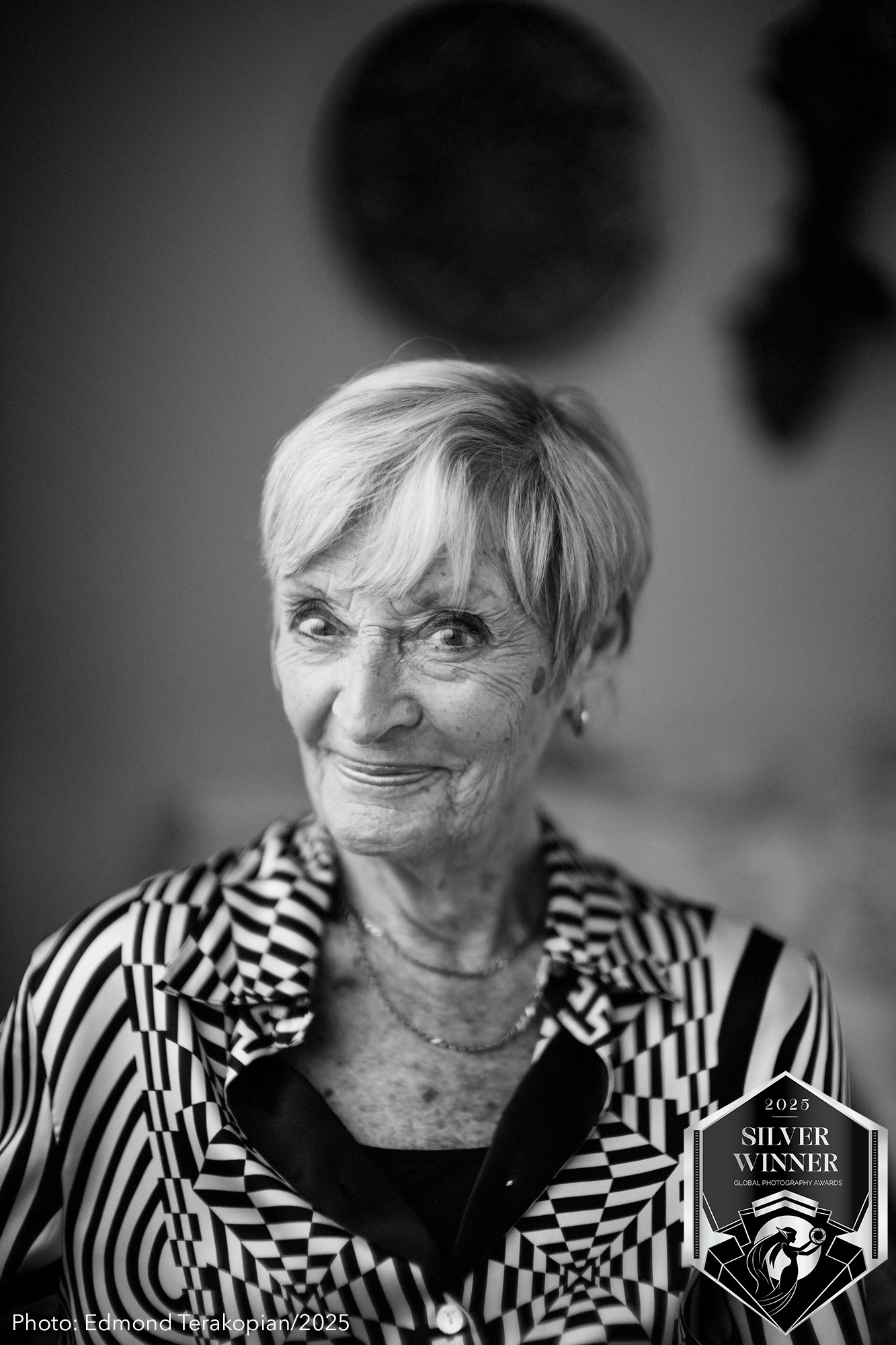

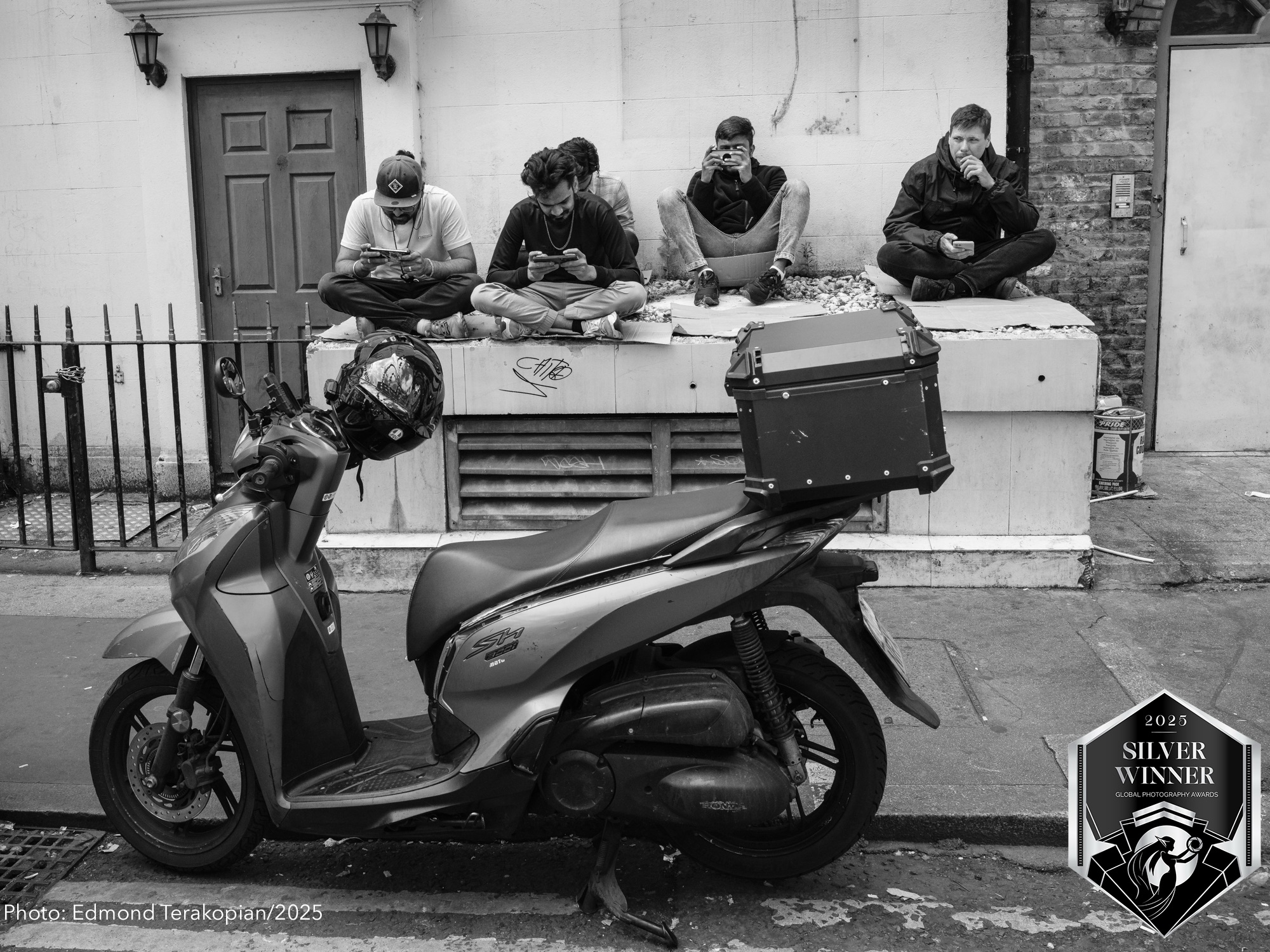

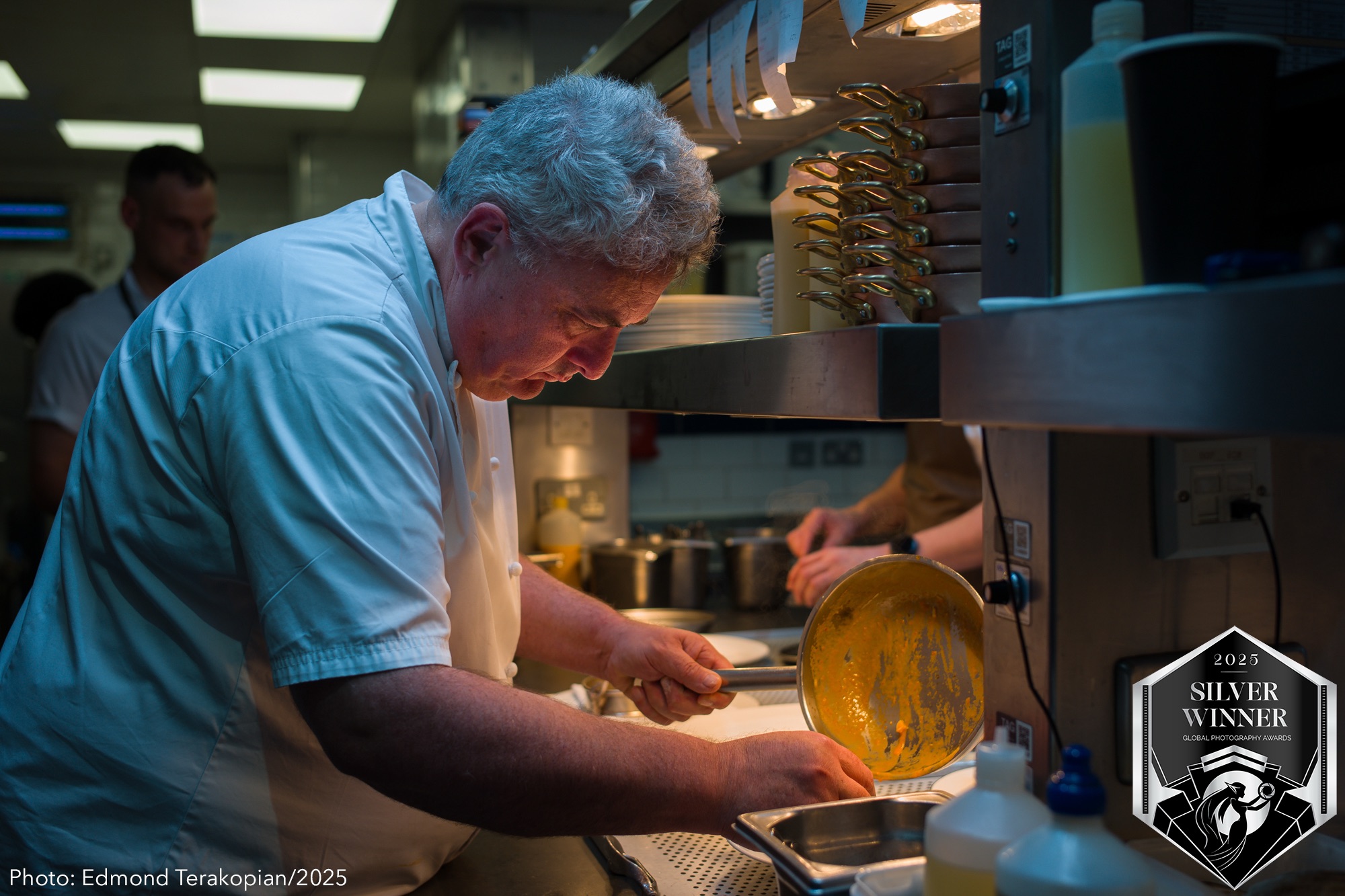














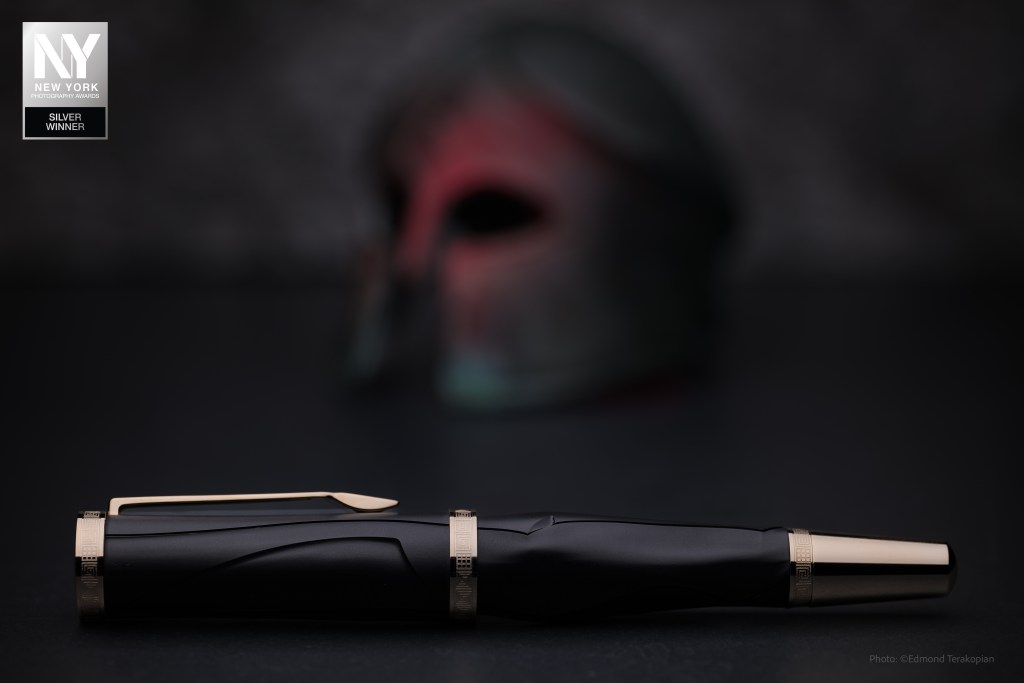







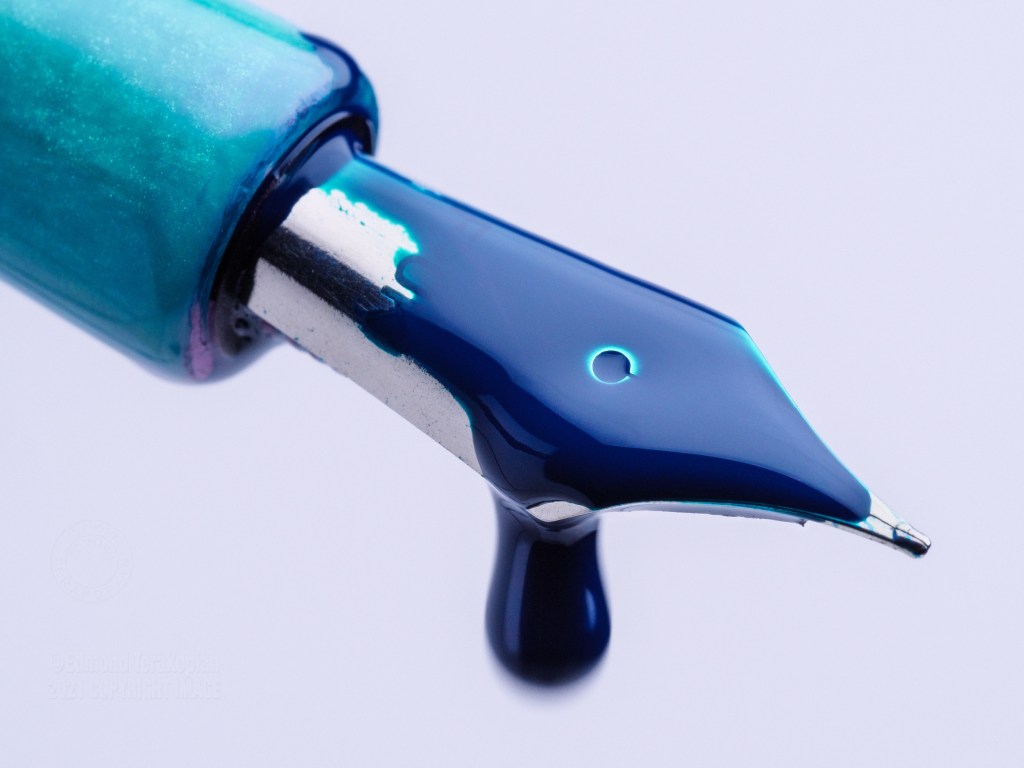


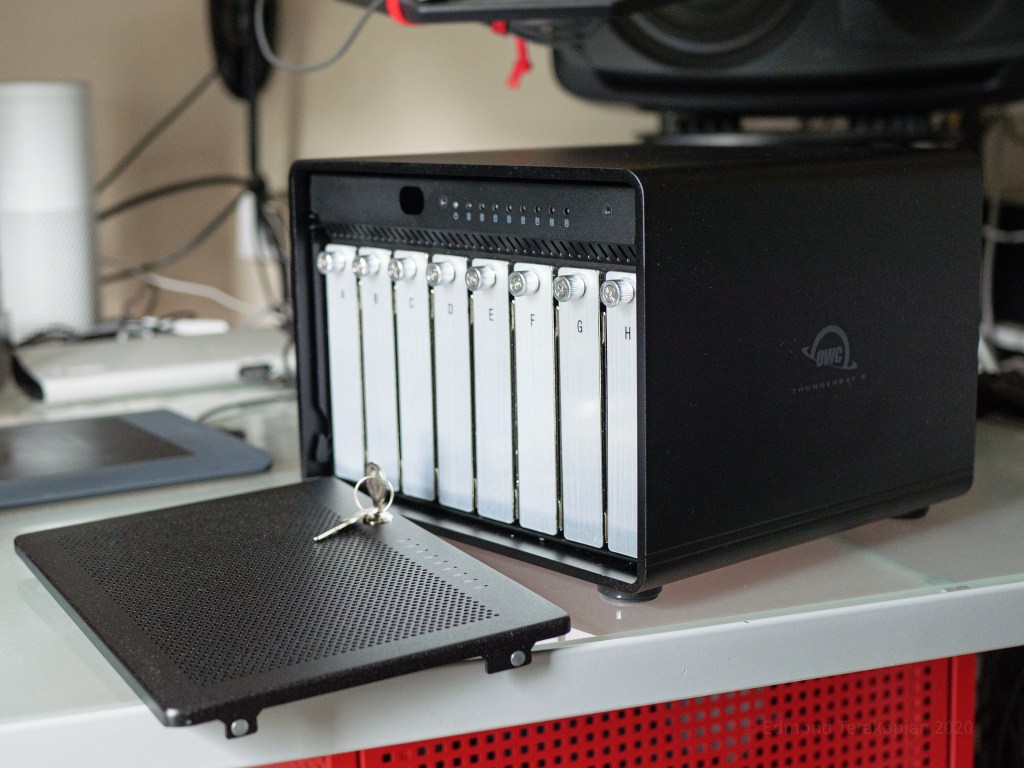


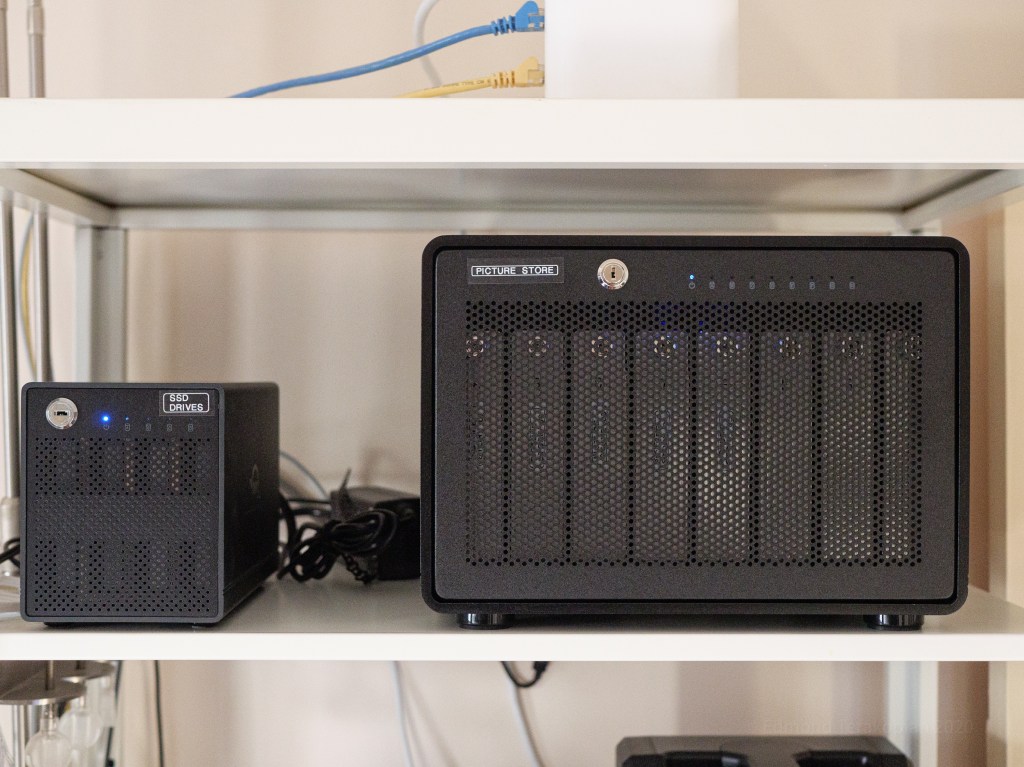
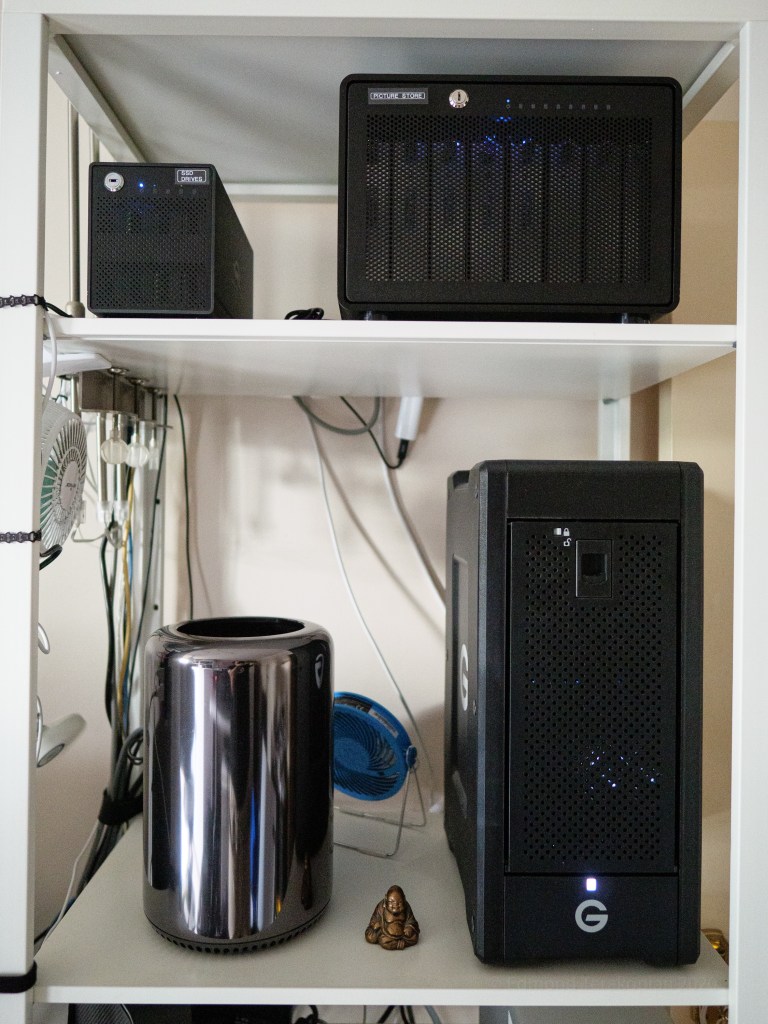


 Photo This & That