Category Archives: Photography

Wacom Intuos Pro Tablet Review

Wacom Intuos 5 Touch Medium TABLET (now called the Intuos Pro)

To Tablet Or Not To Tablet; Long Term Review
The Wacom Intuos Pro family of tablets. Photo: ©Wacom

The Wacom Intuos Pro family of tablets. Photo: ©Wacom

I’ve been a user of Wacom tablets for many years now. I have had an Intuos 2 and Intuos 3. With the introduction of a “touch” surface, I was intrigues so borrowed the new Intuos 5 Touch Medium with wireless adapter for a long term review from Wacom.

Editing "1 Sixpence 1 Play" using FCP X and a Wacom Intuos 5 Touch graphic's tablet and calibrated Eizo CG276 monitors. Still frame from video; ©Edmond Terakopian

Editing “1 Sixpence 1 Play” using FCP X and a Wacom Intuos 5 Touch graphic’s tablet and calibrated Eizo CG276 monitors. Still frame from video; ©Edmond Terakopian

The review didn’t start off too well though. The early software drivers on the Mac weren’t very stable and regardless of wether I was in tethered mode (USB) or wireless (using a wireless USB adapter), the tablet would at some stage during the working day disappear and eventually I just gave up and went back to using the Apple Trackpad on my Mac Pro and Intuos 3, waiting for updates to the software.

The Wacom Intuos Pro small tablet. Photo: ©Wacom

The Wacom Intuos Pro small tablet. Photo: ©Wacom

During a large edit on a big project (around a year ago), I developed a serious wrist pain and decided it was time to get the Wacom Intuos 5 out again. My only issue with using my Intuos 3 all the time is that I’m now so used to the gesture control in the Mac OS that having only a pen or the Wacom mouse is often counter productive. I decided to have a look at the Intuos 5 again and thankfully there was updated software. I updated and switched off the Apple Trackpad and went to the Wacom. Glad to report that the drivers are now solid and there are no more problems.

The Wacom Intuos Pro medium tablet. Photo: ©Wacom

The Wacom Intuos Pro medium tablet. Photo: ©Wacom

The huge positive thing about the Intuos 5 is the fact that it is also a touch pad with gesture control too; the name is kind of a clue here. Some learning is needed to master a few new movements but the system works well; so well that I’ve stuck with it solidly since, without issue. My beloved Apple Trackpad has been tucked away in a cupboard since. There’s also fully customisable control in the way of “ExpressKeys” and added control with the Touch Ring.

Having used it with Aperture, Lightroom, Capture One, Photoshop as well as FCP X on some major projects, several of which have gone on to win awards, the combination of pen and touch not only works extremely well, but is also much kinder physically and doesn’t cause the fatigue or pain that can be associated with heavy mouse or trackpad use. For my general computing, I just use the tablet as a touch device.

The Wacom Intuos Pro medium tablet. Photo: ©Wacom

The Wacom Intuos Pro medium tablet. Photo: ©Wacom

One huge advantage with the pen is also the ability to be much more accurate. Using brushes or moving sliders incrementally can be done with pinpoint accuracy. On top of this, the free flowing pen is suited towards artistic expression, so things like burning in or dodging is a breeze and more akin to the expressiveness one would show in a traditional darkroom. Naturally for the artist, there is no better tool, so if you draw, paint or do graphical design and for some reason haven’t tried a Wacom, just do – you won’t regret it. One thing I can pretty much guarantee is that within weeks of use of a Wacom, you will wonder how you managed without it.

The only gripe I have is the touch surface doesn’t cover the entire tablet and is within a designated area, which is incidentally, clearly marked and roughly around 85% of the surface area. I occasionally find myself just outside the bottom of the area and it’s frustrating as it can lead to errors when using the tablet as a trackpad. One does get used to it, and there are so many positives, that for me, it’s not a deal breaker. I do hope though that Wacom can make the next model touch capable over the entire surface.

Some thoughts on which size; as I use dual monitors at my office, I have always opted for the A4 size in the past, now called the Medium. The larger surface area allows for great control and accuracy when working on small areas (like retouching dust). I think anyone who works on a single screen or works just on a laptop will probably find the Small size to be more than capable. As always though, the best thing is to find your nearest stockist and go and have a try to see what suits you best. Also, for those who have never tried a tablet before, at first it will feel slightly alien the first day; trust me, just persevere as it will revolutionise the way you interact with your computer.

Faster working, pain free use, accurate and versatile with both pen and touch. With the maturing of the software, this is a must have for anyone who spends a lot of time photo, video or audio editing. I can’t recommend this highly enough; your work will improve and your wrist will thank you. Having just sold my Intuos 3 tablet, pen and mouse, I shall be purchasing my own Intuos 5 Touch Medium soon!

The Wacom Intuos 5 family of tablets. As you can see, the new Pro series look almost identical. Photo: ©Wacom

The Wacom Intuos 5 family of tablets. As you can see, the new Pro series look almost identical. Photo: ©Wacom

NB – Since beginning this long term review, the model naming has changed and the Intuos 5 range is now called the Intuos Pro. As far as differences between the unit, they are practically identical with some minor cosmetic differences and a slightly different surface coating. Also, the Pro now comes with the wireless kit as standard (although you can also use a USB connection instead).

On a related issue, as I’m often on the road with my MacBook Pro or 11” MacBook Air, either on assignment, teaching workshops or giving presentations, I decided to get a smaller tablet for mobile use. I opted for the Intuos Pen and Touch in the small size, which is working out well too. Not up to the feel of the Intuos 5, which is a professional grade piece of equipment, but it does work well on the road. One thing’s for sure though; once funds allow, I’ll almost definitely be upgrading that to the small size Intuos Pro Touch.

The Wacom Intuos small tablet. Photo: ©Wacom

The Wacom Intuos small tablet. Photo: ©Wacom

To see the Wacom in action, you can jump to 05:28 where you can see it being used with FCP X to edit our film “1 Sixpence 1 Play“:

Keeping Your Printer Up & Running

Tips For The Large Format Printer User

Allow me to paint you a picture; I had allocated a day in my diary to make some prints on my superb Canon iPF6300 (although this post will be of relevance to any large format printer user). I had a few print orders and also needed to make six A1 sized prints to enter into the Taylor Wessing Portrait Award.

A montage on the Canon iPF6300 large format printer. Replacing inks and nozzle check calibration print after installing new print heads. Photo: ©Edmond Terakopian

A montage on the Canon iPF6300 large format printer. Replacing inks and nozzle check calibration print after installing new print heads. Photo: ©Edmond Terakopian

On the day set aside for making the prints, I switched on the printer and started collating the images on my Mac, ready to print. Well, after having not made a print for a few months, the machine sprang into action, going through it’s warming up procedures, agitating inks, moving print heads and so on. Alas I was at the end of this robotic dance, I was greeted with the error code informing the print heads need to be replaced. Now this is a costly process, but even more annoying is the fact that I don’t keep spares. I have lots of paper and ink at all times, just not spare print heads and often as also needed, the maintenance cartridge. Panic and annoyance set in as there was a deadline looming and I had other projects on the go.

Off to Google to search for the cheapest place I can source print heads and as crucially, a place that can deliver them the next day. My search concluded with a company I hadn’t used before; they were great on price, had stock and crucially promised next day delivery. The company was the iPF Store.

I decided to make a call to double check the stock and delivery situation and was put through to an extremely helpful and knowledgeable chap called Andy. The two print heads and maintenance cartridge I needed were indeed in stock and would definitely be delivered the next day. A sigh of relief! I carried on chatting about the print head issue as it felt to me that they had seized up prematurely. Andy informed me that indeed it is a problem for the low volume print maker. These printers are designed to work at the print houses and studios were they are in use daily. In my case, the inactivity had been the issue and caused the print heads to have a shorter life span. Being outside of the Canon one year warranty on them, they had to be changed.

My chat with Andy resulted in a list of other tips, so what better than to share them?!

Andy From The iPF Store, Top Five Tips

1)    Always leave the printer turned on – It monitors the heads, does a very low level clean when needed to keep the nozzles wet to stop them drying out. Dry and blocked nozzles require additional power cleanses (uses more ink). In more extreme cases when the block cannot be cleaned, the heads fail completely so new ones are required.

2)    Achieve the highest possible graduations by working in 16bit RGB and print using the Adobe Photoshop Plugin.

3)    Have a colour calibrated workflow, calibrating your screen and make custom print profiles for papers that don’t have them for your printer. Keeps your printer in constant colour control.

4)    Use the Canon Media Config Tool to add your own custom medias to the standard Canon library, and ensure the best print quality.

5)    Allow a minimum of one hour for the ink to dry down before applying any finishing such as varnish or laminate.

I agree fully with the points raised, although I didn’t know of the first point, which is what landed me in this predicament!

An A1 size print of chef Gordon Ramsay, printed on the Canon iPF6300 on Canon photo satin paper. The image was shot using this Leica M (Type 240) and 50mm Noctilux ASPH. Photo: ©Edmond Terakopian

An A1 size print of chef Gordon Ramsay, printed on the Canon iPF6300 on Canon photo satin paper. The image was shot using this Leica M (Type 240) and 50mm Noctilux ASPH. Photo: ©Edmond Terakopian

Well, my print heads and maintenance cartridge arrived before lunchtime the next day and I managed to make all my prints (which have found new homes in London, Paris and New York) and also made the six prints for the competition. Thanks Andy 🙂

The links:

iPF Store: http://www.ipfstore.co.uk

Their parent company; Pro Print Solutions: http://www.proprintsolutions.co.uk

Amateur Photographer Magazine

A Tribute To Leica; Double Page Interview

Amateur Photographer magazine's Leica tribute issue, containing a double page spread interview on my "Love Your Job" photograph. July 18, 2014. Photo: Edmond Terakopian

Amateur Photographer magazine’s Leica tribute issue, containing a double page spread interview on my “Love Your Job” photograph. July 18, 2014. Photo: Edmond Terakopian

It’s always nice to be featured in magazines and this week’s Amateur Photographer magazine (June 19, 2014) has a double page spread about my “Love Your Job” photograph. Fittingly, as the issue is a tribute to Leica’s 100th anniversary, the image was made on my Leica M9.

Nikkor 8mm Fisheye On A Leica M Type 240

The Joy Of Mirrorless Cameras

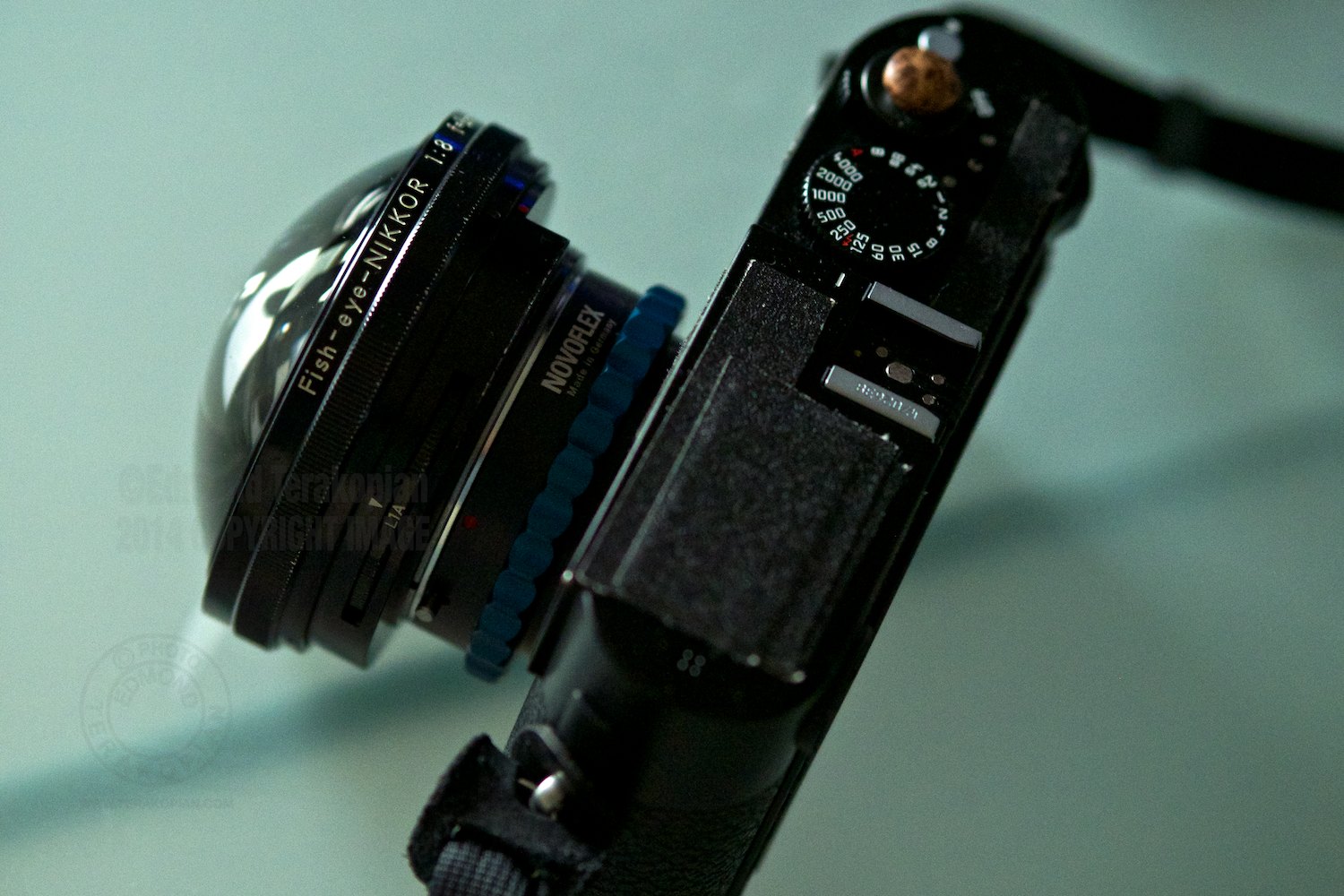
The inside of a washing machine drum, photographed on a fisheye lens. July 07, 2014. Photo: Edmond Terakopian Shot using a Nikkor 8mm Fisheye lens on a Leica M (Type 240), using a Novoflex Nikon to Leica M adapter.

The inside of a washing machine drum, photographed on a fisheye lens. July 07, 2014. Photo: Edmond Terakopian
Shot using a Nikkor 8mm Fisheye lens on a Leica M (Type 240), using a Novoflex Nikon to Leica M adapter.

One of the joys of mirrorless cameras is the ability to mount practically every lens made by every manufacturer, using the appropriate adapter. The Leica M rangefinder, being the mother of all mirrorless cameras (going back to 1954), made the perfect camera to try out my old, vintage Nikkor 8mm f8 fisheye lens. Especially as the camera has a full frame sensor so can display the circular fisheye perfectly. With the Leica M (Type 240)’s Live View, the camera was ideal.

Nikkor 8mm Fisheye Lens On Leica M (Type 240) Test, using Novoflex adapter. London. July 06, 2014. Photo: Edmond Terakopian

Nikkor 8mm Fisheye Lens On Leica M (Type 240) Test, using Novoflex adapter. London. July 06, 2014. Photo: Edmond Terakopian

Nikkor 8mm Fisheye Lens On Leica M (Type 240) Test, using Novoflex adapter. London. July 06, 2014. Photo: Edmond Terakopian

Nikkor 8mm Fisheye Lens On Leica M (Type 240) Test, using Novoflex adapter. London. July 06, 2014. Photo: Edmond Terakopian

Photographing the inside of a Bosch washing machine drum. Nikkor 8mm Fisheye Lens On Leica M (Type 240) Test, using Novoflex adapter. London. July 07, 2014. Photo: Edmond Terakopian

Photographing the inside of a Bosch washing machine drum. Nikkor 8mm Fisheye Lens On Leica M (Type 240) Test, using Novoflex adapter. London. July 07, 2014. Photo: Edmond Terakopian

My favourite lens adapters are made by Novoflex (available in the UK from Speed Graphic). With a lot of research and help from the wise folks at the Leica Users Forum, we deduced that the Nikkor would fit (it has a very deep rear element. When used on an SLR, the mirror has to be locked up before the lens is mounted).

***DISCLAIMER – you need to realise that mounting any non standard lens to your camera has it’s own risks. Do your research carefully as you will have to take full responsibility if anything goes wrong! I am not liable for any mistakes, accidents or damage and do not encourage you to try this!***

Nikkor 8mm Fisheye Lens On Leica M (Type 240) Test, using Novoflex adapter. London. July 06, 2014. Photo: Edmond Terakopian

Nikkor 8mm Fisheye Lens On Leica M (Type 240) Test, using Novoflex adapter. London. July 06, 2014. Photo: Edmond Terakopian

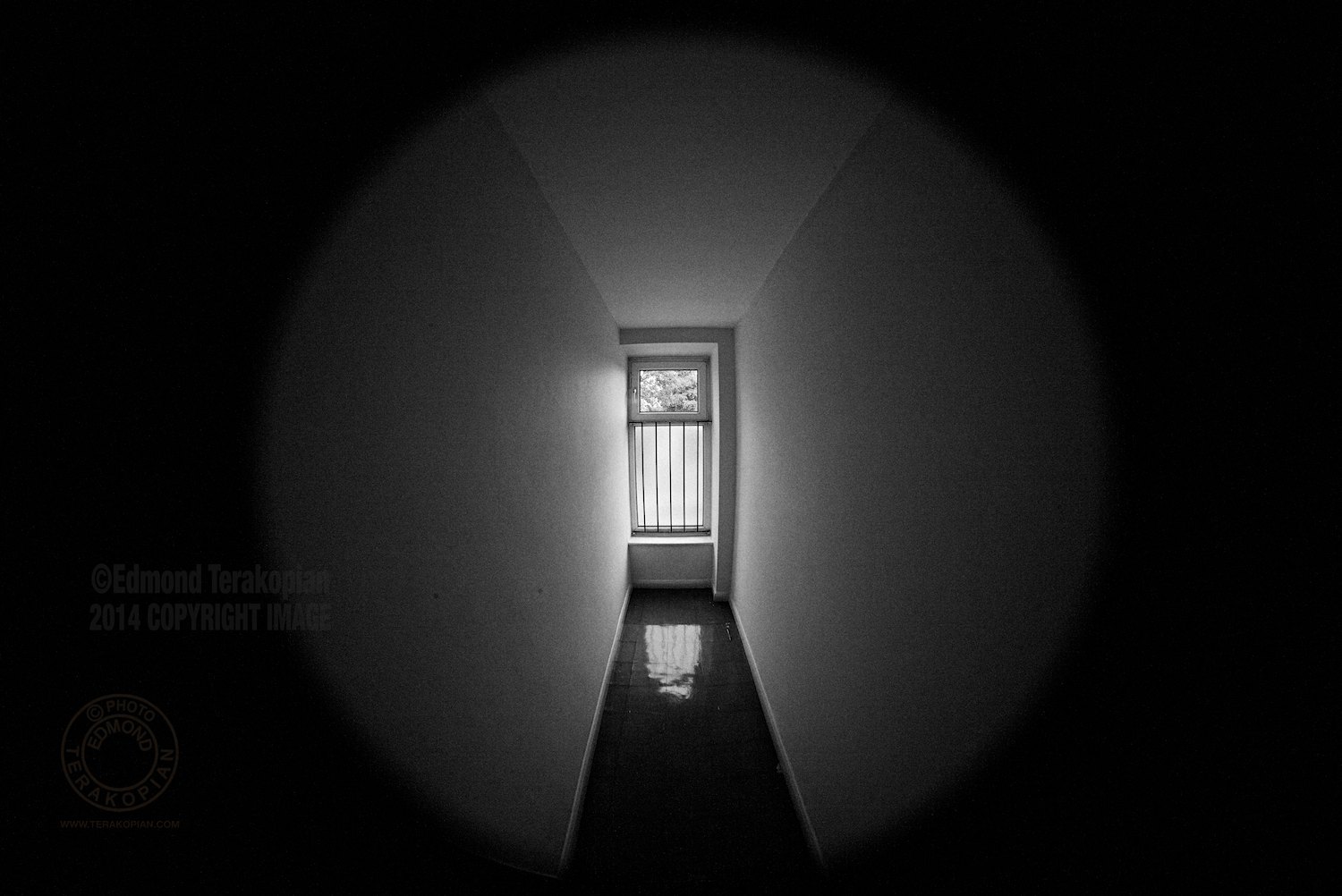
These are early days and I’m going to explore using this circular fisheye, but I wanted to share the journey so far. The only proper picture I’ve made so far is the washing machine drum, but there will be more to come, so keep an eye on my Flickr page!

More Nikkor 8mm Fisheye on Leica pictures HERE.

Nikkor 8mm Fisheye Lens On Leica M (Type 240) Test, using Novoflex adapter. London. July 06, 2014. Photo: Edmond Terakopian

Nikkor 8mm Fisheye Lens On Leica M (Type 240) Test, using Novoflex adapter. London. July 06, 2014. Photo: Edmond Terakopian

Nikkor 8mm Fisheye Lens On Leica M (Type 240) Test, using Novoflex adapter. The stairwell. London. July 06, 2014. Photo: Edmond Terakopian

Nikkor 8mm Fisheye Lens On Leica M (Type 240) Test, using Novoflex adapter. The stairwell. London. July 06, 2014. Photo: Edmond Terakopian

40th International Features Conference

IFC 2014; Leipzig

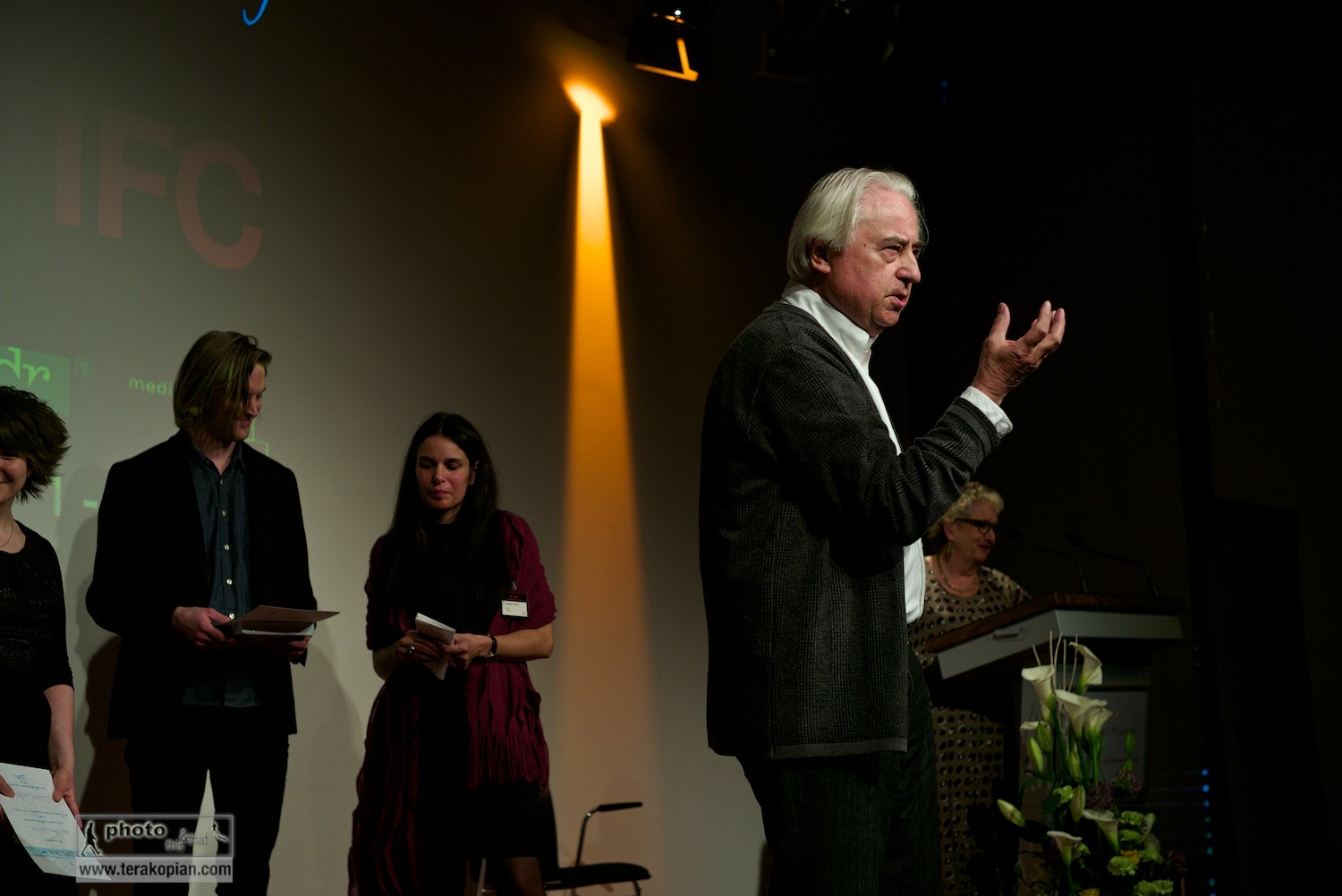
Official opening of the IFC (International Features Conference) by Peter Leonard Braun, also called Leo (German feature-maker), Media Campus (Medienstifftung der Sparkasse Leipzig), Poetenweg, Leipzig, Germany. May 11, 2014. Photo: Edmond Terakopian

Official opening of the IFC (International Features Conference) by Peter Leonard Braun, also called Leo (German feature-maker), Media Campus (Medienstifftung der Sparkasse Leipzig), Poetenweg, Leipzig, Germany. May 11, 2014. Photo: Edmond Terakopian

I was honoured to have been invited to speak at the 40th International Features Conference (IFC) in May, which took place in the delightful town of Leipzig in Germany. I need to point out though that the IFC is about radio; it’s a conference which gets together the best in radio features journalists. My talk? Well, my talk was naturally going to be about photography.

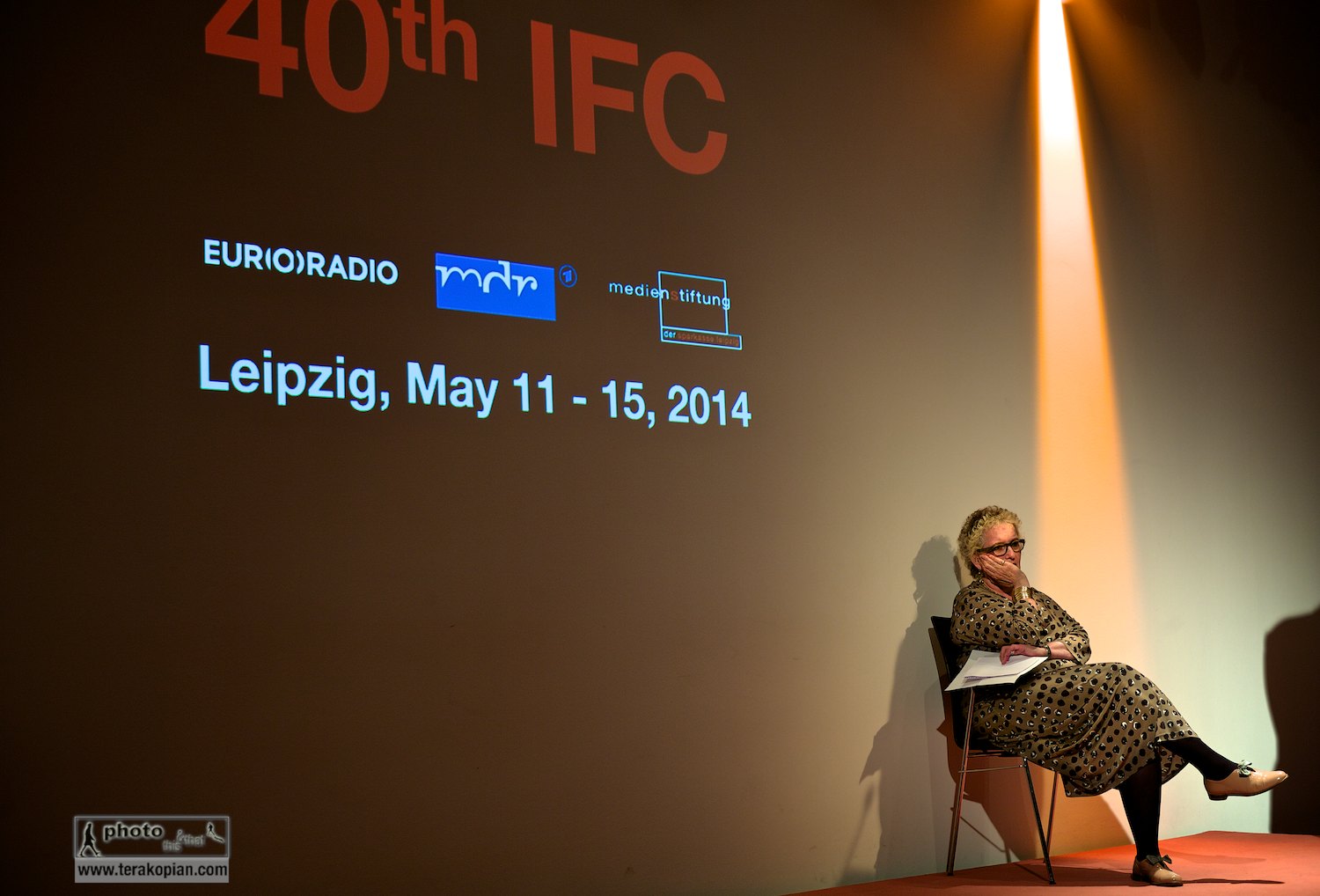
Official opening of the IFC (International Features Conference). Lorelei Harris (RTE) listens to the opening speech from the stage. Media Campus (Medienstifftung der Sparkasse Leipzig), Poetenweg, Leipzig, Germany. May 11, 2014. Photo: Edmond Terakopian

Official opening of the IFC (International Features Conference). Lorelei Harris (RTE) listens to the opening speech from the stage. Media Campus (Medienstifftung der Sparkasse Leipzig), Poetenweg, Leipzig, Germany. May 11, 2014. Photo: Edmond Terakopian

Initially, it seems to most that the concept of having photography spoken about to folks whose medium is radio, simply is a tad bizarre; one is a visual discipline whilst the other is purely about audio. However, photography, audio (and other forms of story telling) are only the end tool. The initial steps in finding a story; dissecting it, checking it out journalistically, planning out how to convey it, are in fact all the same. It’s only the end tool, the tool of delivery which differs.

At the opening of the IFC (International Features Conference) by Peter Leonard Braun, also called Leo (German feature-maker) and Edmond Terakopian, Media Campus (Medienstifftung der Sparkasse Leipzig), Poetenweg, Leipzig, Germany. May 11, 2014. Photo: Li Hong

At the opening of the IFC (International Features Conference) by Peter Leonard Braun, also called Leo (German feature-maker) and Edmond Terakopian, Media Campus (Medienstifftung der Sparkasse Leipzig), Poetenweg, Leipzig, Germany. May 11, 2014. Photo: Li Hong

The main hall at the IFC (International Features Conference), Media Campus (Medienstifftung der Sparkasse Leipzig), Poetenweg, Leipzig, Germany. The delegates listen to features programmes which will then be discussed in smaller groups. May 14, 2014. Photo: Photo: Edmond Terakopian

The main hall at the IFC (International Features Conference), Media Campus (Medienstifftung der Sparkasse Leipzig), Poetenweg, Leipzig, Germany. The delegates listen to features programmes which will then be discussed in smaller groups. May 14, 2014. Photo: Photo: Edmond Terakopian

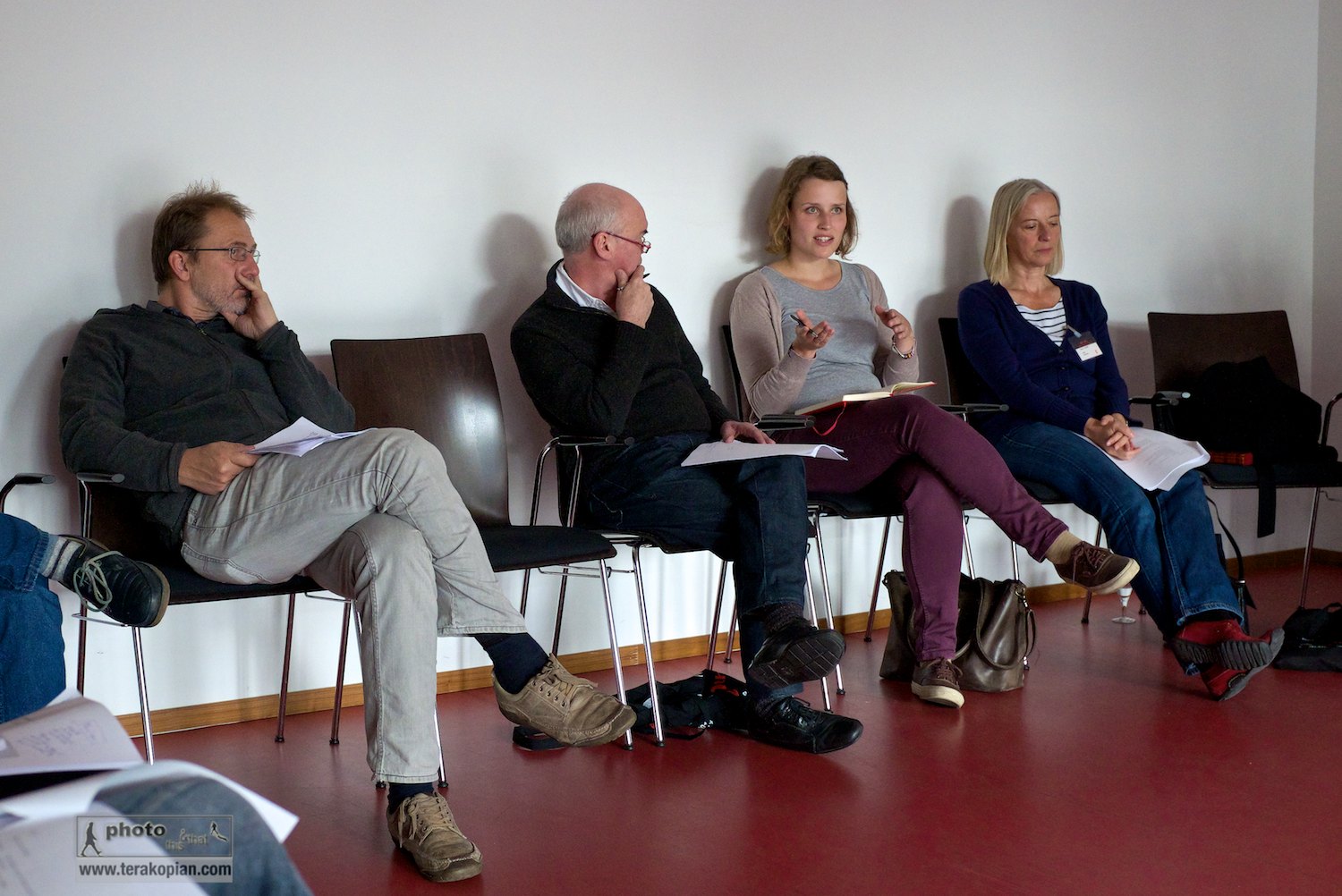
I was fortunate to be able to attend the conference in full and was rewarded by hearing some absolutely astonishing work, from across the world. After listening to a couple of productions, we would break into our smaller groups and discuss these at length. I must admit to being extremely shy in opening my novice mouth and giving an opinion in this world of radio at first, but soon the shyness went and I found myself deep in conversation and discussion with the best people on the planet in this genre of features work. Absolutely fascinating.

IFC (International Features Conference), Media Campus (Medienstifftung der Sparkasse Leipzig), Poetenweg, Leipzig, Germany. Tina Kunath and the delegates discuss the features programmes listened too earlier in the main hall. May 14, 2014. Photo: Photo: Edmond Terakopian

IFC (International Features Conference), Media Campus (Medienstifftung der Sparkasse Leipzig), Poetenweg, Leipzig, Germany. Tina Kunath and the delegates discuss the features programmes listened too earlier in the main hall. May 14, 2014. Photo: Photo: Edmond Terakopian

IFC (International Features Conference), Media Campus (Medienstifftung der Sparkasse Leipzig), Poetenweg, Leipzig, Germany. Thomas Martin Gasser (ORF) and the delegates discuss the features programmes listened too earlier in the main hall. May 14, 2014. Photo: Photo: Edmond Terakopian

IFC (International Features Conference), Media Campus (Medienstifftung der Sparkasse Leipzig), Poetenweg, Leipzig, Germany. Thomas Martin Gasser (ORF) and the delegates discuss the features programmes listened too earlier in the main hall. May 14, 2014. Photo: Photo: Edmond Terakopian

What really astonished me as the week went on was just how vivid a picture radio can paint; how gripping, deep, gentle, forceful, subtle and layered a good piece of radio work can be. Absolutely brilliant. I also had the absolute joy of meeting some fascinating people and making a few friends along the way. You all know who you are and I’d like to thank you for making the conference even more special than it already was.

IFC Leipzig 2014 Group Shot. IFC (International Features Conference), Media Campus (Medienstifftung der Sparkasse Leipzig), Poetenweg, Leipzig, Germany. May 14, 2014. Photo: Photo: Bernd Cramer/MDR

IFC Leipzig 2014 Group Shot. IFC (International Features Conference), Media Campus (Medienstifftung der Sparkasse Leipzig), Poetenweg, Leipzig, Germany. May 14, 2014. Photo: Photo: Bernd Cramer/MDR

To those, like me, who haven’t really listened to radio features work, I absolutely recommend listening to this short and extremely powerful piece by Kathy Tu from the USA.

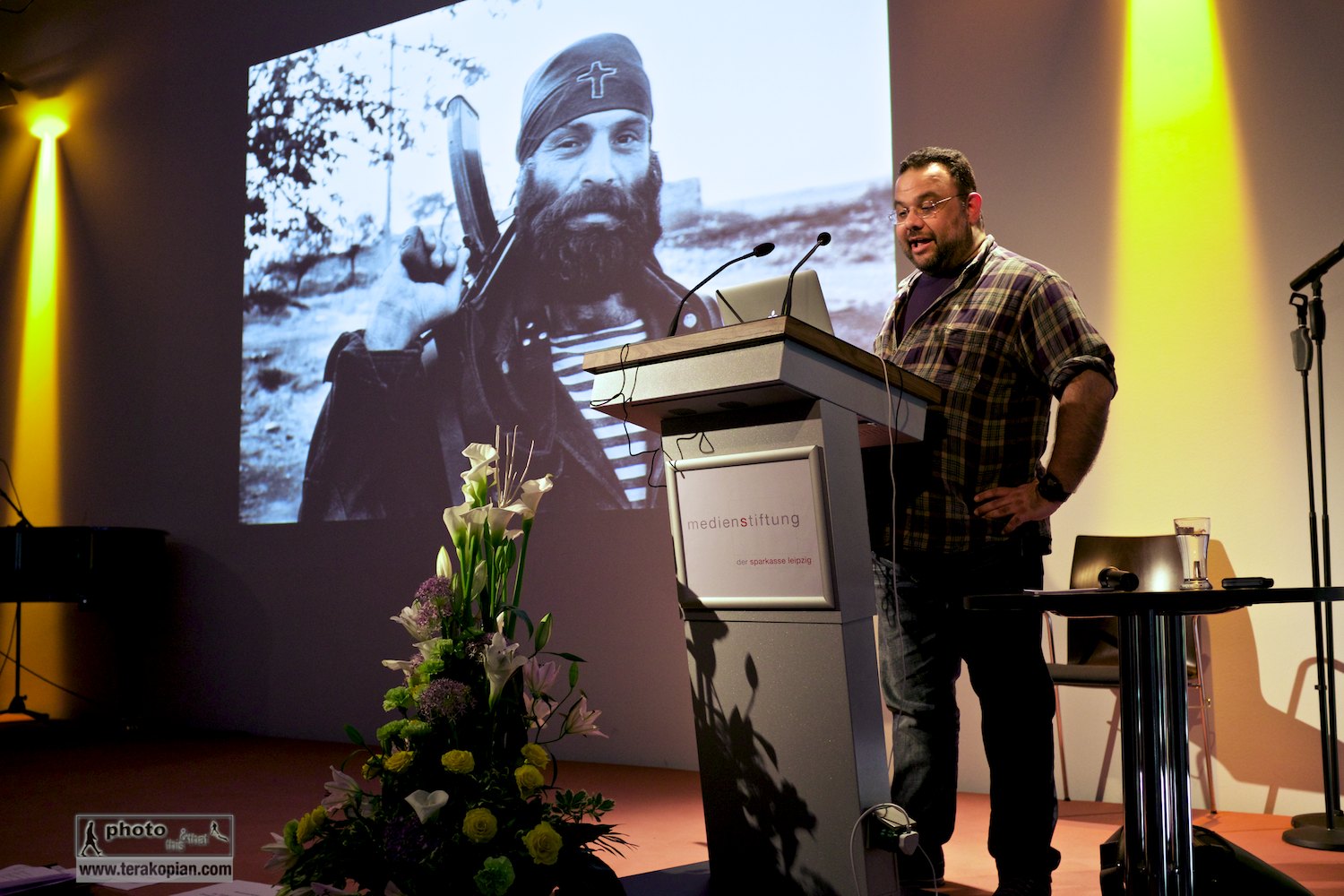
Edmond Terakopian giving a talk on Photography & Film to the IFC (International Features Conference), Media Campus (Medienstifftung der Sparkasse Leipzig), Poetenweg, Leipzig, Germany. May 14, 2014. Photo: Thomas Martin Gasser / @ThomasMGasser

Edmond Terakopian giving a talk on Photography & Film to the IFC (International Features Conference), Media Campus (Medienstifftung der Sparkasse Leipzig), Poetenweg, Leipzig, Germany. May 14, 2014. Photo: Thomas Martin Gasser / @ThomasMGasser

Edmond Terakopian giving a talk on Photography & Film to the IFC (International Features Conference), Media Campus (Medienstifftung der Sparkasse Leipzig), Poetenweg, Leipzig, Germany. May 14, 2014. Photo: Li Hong

Edmond Terakopian giving a talk on Photography & Film to the IFC (International Features Conference), Media Campus (Medienstifftung der Sparkasse Leipzig), Poetenweg, Leipzig, Germany. May 14, 2014. Photo: Li Hong

Edmond Terakopian giving a talk on Photography & Film to the IFC (International Features Conference), Media Campus (Medienstifftung der Sparkasse Leipzig), Poetenweg, Leipzig, Germany. May 14, 2014. Photo: Thomas Martin Gasser / @ThomasMGasser

Edmond Terakopian giving a talk on Photography & Film to the IFC (International Features Conference), Media Campus (Medienstifftung der Sparkasse Leipzig), Poetenweg, Leipzig, Germany. May 14, 2014. Photo: Thomas Martin Gasser / @ThomasMGasser

Edmond Terakopian giving a talk on Photography & Film to the IFC (International Features Conference), Media Campus (Medienstifftung der Sparkasse Leipzig), Poetenweg, Leipzig, Germany. May 14, 2014. Photo: Thomas Martin Gasser / @ThomasMGasser

Edmond Terakopian giving a talk on Photography & Film to the IFC (International Features Conference), Media Campus (Medienstifftung der Sparkasse Leipzig), Poetenweg, Leipzig, Germany. May 14, 2014. Photo: Thomas Martin Gasser / @ThomasMGasser

Edmond Terakopian giving a talk on Photography & Film to the IFC (International Features Conference), Media Campus (Medienstifftung der Sparkasse Leipzig), Poetenweg, Leipzig, Germany. May 14, 2014. Photo: Thomas Martin Gasser / @ThomasMGasser

Edmond Terakopian giving a talk on Photography & Film to the IFC (International Features Conference), Media Campus (Medienstifftung der Sparkasse Leipzig), Poetenweg, Leipzig, Germany. May 14, 2014. Photo: Thomas Martin Gasser / @ThomasMGasser

Edmond Terakopian giving a talk on Photography & Film to the IFC (International Features Conference), Media Campus (Medienstifftung der Sparkasse Leipzig), Poetenweg, Leipzig, Germany. May 14, 2014. Photo: Thomas Martin Gasser / @ThomasMGasser

Edmond Terakopian giving a talk on Photography & Film to the IFC (International Features Conference), Media Campus (Medienstifftung der Sparkasse Leipzig), Poetenweg, Leipzig, Germany. May 14, 2014. Photo: Thomas Martin Gasser / @ThomasMGasser

Drinks after the IFC, Leipzig, Germany. Radio documentary makers Andre Cunha (Portugal), Charlotte Rouault (France) and Ljubo Pauzin (Croatia) in conversation about the day's presentations. May 14, 2014. Photo: Edmond Terakopian

Drinks after the IFC, Leipzig, Germany. Radio documentary makers Andre Cunha (Portugal), Charlotte Rouault (France) and Ljubo Pauzin (Croatia) in conversation about the day’s presentations. May 14, 2014. Photo: Edmond Terakopian

DataColor Webinar Recording

Reportage & Street Photography

For those who couldn’t join in live on my webinar earlier this week, courtesy of DataColor, here’s a recording of the webinar. It lacks the Q&A which went on for around 30 minutes after, so feel free to post questions here instead.